Showing posts with label iMPC Pro Log. Show all posts

Saturday, July 9, 2022

๐Ÿช You're called to explore the galaxy with this new Pro Pack. ๐Ÿช


Inspired by New Sounds

NASA Voyager Space Sounds - Rings of Saturn

Have you heard the mysterious and haunting sounds of the rings of Saturn. Back in 2014, Nasa released their shocking recording of the vibrations of space that emanate from this massive planet in our solar system. Some claim to hear a record scratch. Give it a listen. It might inspire your next musical creation.

The Freshest Drop
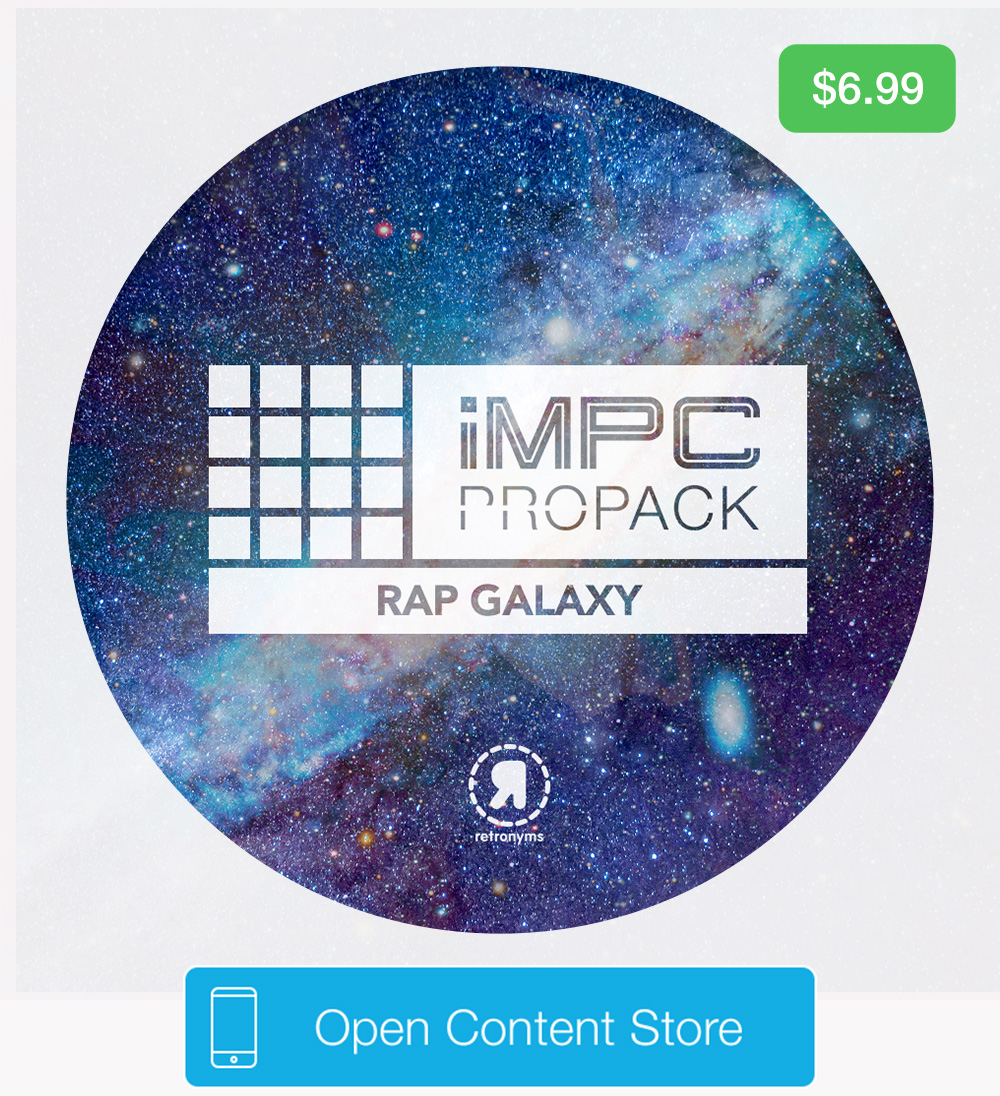


We are excited to bring you the latest sound pack from Vherbal Beats and Retronyms. This brand new iMPC Pro Pack can only be found in our Audiocopy content store. Rap Galaxy is inspired by the vast and unexplored mysterious of our universe and a deep appreciation for 90's hip hop. You'll find a galaxy of drum loops and melodies in the style of 90's production. Have some fun with it and test out he "Scaries Kit" in the demo samples!

iMPC Pro Packs will work in any compatible app including Garageband, Launchpad, Tabletop and more. They also have enhanced features for iMPC Pro. If you AudioPaste iMPC Pro Packs into iMPC Pro, you’ll get a set of Programs that are designed exclusively for iMPC Pro with the proper layout and parameters.

Creeper Kit
Detective Kit
Detroit Kit 
Fantomz Kit
Scaries Kit

85-87 BPM

Don't Sleep on These Sound

#flashsale This promotion ends on Tuesday, July 12th.


Don't miss your chance to pick up both volumes of Urban Alien from Vherbal Beats at a steep discount! This weekend you have the opportunity to get them for only $1. This promotion ends on Tuesday, July 12th.


Friday, April 1, 2022

90s Dream Machine ๐ŸŽง๐ŸŽถ

The Freshest Drop


Ninety Now features authentic beats straight from the 90's, with bouncing drums and catchy melodies galore. In this pack, you'll find samples from 84 to 90 BPM and a total of 5 kits. Produced by Kevin Elliott for Retronyms, check it out in the Content Store now!

Don't Sleep on These Sounds


Lyrical Legends offers melody-driven lyrical style hip hop sounds, filled with scratches, melodies, and grimey drums. This pairs well with Ninety Now to have your next project dripping with nostalgia. Lyrical Legends was also produced by Kevin Elliott and features samples with 87 to 90 BPM. Sale ends on Monday, 4/4/22.

Thursday, March 24, 2022

Legends in the Making... ๐Ÿ”ฅ๐ŸŽถ

The Latest Drop


This iMPC Pro Pack brings you authentic hiphop in the style of legendary artists. You'll find classic drums and melodies throughout, with kits that bring an epic vibe for your next project. This Sound Pack was written and produced by Kevin Elliot for Retronyms, the legend of Fat Sound Records!

A Perfect Pairing


And for all the boom bap kings out there... this Sound Pack pairs well with Forever Legendz to give that extra golden age energy to your track. You'll find all of the classic, funky sounds of the 80s and 90s in Underground Kings. The sale for this Sound Pack ends on Monday, 3/28/22.

Thursday, February 10, 2022

Wishing you a very lovely weekend. ๐ŸŽŠ


All the love, from us at Retronyms to you and your corner of the world. We are excited to bring you this week's #FreshFridays release and a #Flashsale that will help set the mood right. Choppe Canyon is a sound pack filled with fun and funky micro-chopped breakbeat loops and one shots. The electric bass lines hit fast and the tamborine loops get your hips moving. These analog synths from Colin Yarick flourish through high peaks and mellow valleys. Test them out in the content store to hear it for yourself. 

90 BPM
43 Loops
55 One Shots

#FlashSale

iMPC Smooth R&B Guitars offers you brand new-cutting edge digitized samples in the style of professional Urban guitar licks and progressions. These 64 R&B guitar licks and music phrases are exactly what you need to set a simmering mood in your next project. Our 90% flash sale will only be available this weekend, from February 11th to the 13th. Just in time, head on over to the content store and pick up this entire collection with your spare change.

Thursday, February 3, 2022

Blast into orbit with this up-tempo sound pack. ๐ŸŒŽ


We are thrilled to bring you, Flitter, the latest #FreshFriday release in the content store. The Loops and One Shots in the Flitter Sound Pack are a hyperactive electronic jaunt with live drum loops and a plethora of flittering analog synth phrases.

Allow the demo song to take you on an ethereal journey through Galactica star dust. You'll be careening through time and space at 160 bpm on these 80's inspired electric and analog synth loops. Test the loops and one shots for yourself in the content store and see what kind of havoc you can create. Domo Ariagato.

160 BPM
43 Loops
65 One Shots
#FlashSale

Don't miss out on this one-time #Flashsale of Phantom from Colin Yarick. It will be available in the content store this weekend for only 99 cents. Sale ends Monday, February 7th. You'll love the energy in these flowy samples and groove with these slick and moody loops and one shots. Test them out in the content store and add them to your collection! What do you have to lose. 

Thursday, July 29, 2021

HOW TO: Customize Programs in iMPC Pro 2 ๐ŸŽง

For this tutorial, we're going to be using a few terms here. Let's break these terms down first before we get into it.
PROJECTSThe main hub for your current sound project, which has TRACKS and PROGRAMS inside of it, as well as pre-loaded templates on the main screen.
TRACKSA way to organize your song, includes the Drum, AU, and Vocal track options within the TRACK VIEW.
PROGRAMSWithin each PROJECT and TRACK, there is a corresponding program. For iMPC Pro Packs, they contain programs with the sounds laid out in a specific way designed by the pack's producer.

While your PROJECTS and TRACKS are specific, PROGRAMS are universal. In other words, you can open up a various PROGRAM template in a different PROJECT, or toggle between TRACKS to move between ideas. Programs are great for creating templates across tracks, or referencing specific folders within a Sound Pack in another project.

Customize Your Programs ๐ŸŽถ


1. Open up iMPC Pro 2
2. Choose a project
3. Load in some sounds from the Sound Library (tutorial here!)

4. Save your sounds by tapping the PROGRAM menu at the top bar
5. Tap "My Programs"
6. Tap SAVE PROGRAM and choose your name
7. Done!

Level Up ๐ŸŽง


PRODUCER TIP: You can also organize your sounds by choosing the PROGRAM name to reflect the TRACK as well. This is an organizational strategy if you're building a set and need to quickly move between tracks!


DEVELOPER NOTE: Your program does not automatically delete! You can do this manually by swiping left on the program name, and you'll see the red delete button pop up. This feature is helpful when you make changes to a program or move to another track and you will see a COPY of your program was generated. You can delete the copies or any unuseable programs by doing so.

Explore the Possibilities๐Ÿ”ฅ


For more tutorials, sign up for iMPC University, a 10 day deep-dive into all things iMPC Pro 2. Written in collaboration with producer, Mr. Cates, you'll learn secrets about how to fine tune your work and take your tracks to the next level. ๐ŸŽถ At the end of the course, you'll unlock a free sound pack: The Diploma. Cheers to our upcoming class of 2021... ๐Ÿป

Thursday, March 18, 2021

✨ How to AudioPaste Sound Packs into iMPC Pro 2 ๐ŸŽถ

This is a common support question, so I thought it might be helpful to write a blog post for everyone to refer back to! There are many awesome features within iMPC Pro 2 discussed in the 10-day FREE course, iMPC University. Enroll for an in-depth tutorial, featuring producer Mr. Cates' insights and tricks! At the end of the course, you'll unlock an exclusive iMPC Pro Pack, The Diploma.

1. Open up iMPC Pro 2 and create a NEW PROJECT. You can also open an existing project, but AudioPasting an entire Sound Pack will overwrite your sounds.
2. Tap TWEAK view on the bottom bar.

3. The default view in Tweak is "Params" where you can adjust each pad, but for this you'll want to tap SOUNDS in the lower left corner. Now, you can see all of your pad names, which will help with placing your sounds if not AudioPasting the entire pack.
4. You will see the left menu has your sound library. Tap AUDIOPASTE.

5. The menu will pull up all available Sound Packs for pasting. Choose which one you'd like to paste, and you're done!

Want to see more tutorials? Comment below and we'll make them for you.

Sunday, February 7, 2021

How to Transfer Projects Between Devices (and Friends!) ๐ŸŽถ

With this feature, you can take your projects on the go and collaborate with your friends. iMPC Pro 2 was designed to intergrate your music creation with the rest of your workflow. Here's how to do it. All you're going to need is iMPC Pro 2 (for iPad or iPhone), and a Files-messaging app. We recommend using Telegram -- our staff uses this app for everything. You can even join The Honest Truth chat to meet other people who use our iMPC apps.


To do this tutorial, you will use the two buttons located on the main page of iMPC Pro 2: Archive and Import Project.

Exporting A Project


1. Open up iMPC Pro 2 on your device.
2. Navigate to the project you want to export.
3. Tap "Archive" underneath the project. This will create a .zip file that will be stored in the Files app.
4. Open up Files app and locate your recent project.
5. Tap "Share" and locate the Telegram app, where you can then send it to yourself (or your friend).
6. If you are sending to a friend, you're done! They will have your project. If you're sending it to another one of your devices, now's the time to grab your other device!

Importing A Project


7. On your other device, open up the Telegram app.
8. Download the .zip you sent yourself. This will save to the Files app.
9. Open up iMPC Pro 2.
10. Tap Import Project. You will see all of your .zip files available for importing.

This tutorial works across both iMPC Pro 2 for iPhone and iPad, and will work with any device that has Files app (iOS 11 and above). Do you want to see more tutorials like this? Let me know in the comments. Tag us in your videos/songs - we always love listening to what you all come up with creatively.

Friday, November 20, 2020

UPDATE Available: iMPC Pro 2 iPad and iPhone!

We are so excited to share the latest update of iMPC Pro 2 with you. Here are the list of fixes and improvements within the latest build. Please email us at support@retronyms.com with your feedback, and consider leaving us a review if you're happy with the update!

For iMPC Pro 2 iPad customers, this build is version 2.1.3.
For iMPC Pro 2 iPhone customers, this build is version 2.1.4.
Fixes include...
- Fix crash when instantiating AudioUnits (AUv3) on iOS 14
- Fix instability when undoing sound editor operations or deleting handles in the middle of a "live edit" (amplify, fade in/out, etc)
- Added terms of service for YouTube sharing
- Fix distorted monitoring of mono input sources on Audio Tracks
- Fix crash when rapid MIDI events come in during project close
- Fix incorrect loop points when dragging 48 khz samples from pad to pad
- Fix invisible text in AudioCopy dialog when in dark mode
- Fix scrolling in Tracks view for newer phones
- Fix solo behavior when deleting a soloed track
- Fix crash when canceling out of a mix-down at very end
- Fixed sound editor waveform display for wider phones
- Fix sound library crash when browsing into My Projects after a sound a project uses has been deleted

Thursday, June 27, 2019

The Beat: Jerry Pizzini ๐ŸŽถ

Introducing The Beat

In The Beat we check out producers who craft beats with our apps. Join us today to find out about Jerry Pizzini, a hip-hop producer and avid iMPC Pro 2 user with an ear for sick samples.

Jerry Pizzini has been making beats for years, and it shows. His rhythms are tight, and his choices in sound are uncommon.


From well-known artists like Michael Jackson to more obscure songs from the 70s and 80s (similar to G-funk samples), Jerry chops up all kinds of music in unique ways. He will take the high point of a song, speed it up, and lay down a beat to complement the sample. The tracks Jerry makes reflect his own patience; after carefully choosing the sounds to put under a sample, he allows each part of a song to establish its groove and hang in your ear before moving on.

Pizzini’s beat samples I Miss You, a ’72 classic by  Harold Melvin And The Bluenotes.


For sound design, Jerry is inspired by Kanye West’s bold use of samples, and the minimalism in his beats. He told me that old soul, rock, and gospel are some of his top genres to sample from, and he looks to DJ Premier’s beats, and Swizz Beatz’s energy for inspiration.


Jerry has always been interested in music, and taught himself production techniques. After doing a lot of cratedigging for samples, and working with different production brands, devices, and software, like Korg, Triton, and the MPC2000. Once he discovered iMPC Pro 2, he switched to almost exclusively use the software to make beats. Now he can go from an idea to a full song anywhere, anytime.


Listen to more of Jerry's songs here, and create your own by posting with AudioCopy. iMPC Pro 2 for iPhone and iPad is on sale for 50% off until the end of June.

Thursday, March 30, 2017

A new companion for iMPC Pro: Looperverse!


Load iMPC Pro into Looperverse via Inter App Audio.


AudioPaste Loops from Looperverse into iMPC Pro for Chopping and Slicing.

Including an array of advanced tools, Looperverse makes recording, editing, and customizing loops simple. Continuously record up to 16 tracks worth of content and immediately edit them. It features advanced waveform editing, pitch shifting, time stretching, live reverse, extensive undo/redo, time signature support, and more.

Looperverse is optimized to work within our ecosystem of Retronyms apps, as well as supporting AudioBus, interapp audio, and Ableton Link. Limitlessly modify your scenes and explore phrases and riffs.

Dropping loops into iMPC Pro for chopping and slicing is easy with AudioCopy.

Thursday, July 21, 2016

Hook for iMPC Pro

iMPC Pro v1.6 is available now. IAA bug fixes, editor bug fixes. Improved performance. Improved AudioCopy support which adds enhanced compatibility with Hook (see below for details).


Hook is a new music performance, mashup, and DJ app for iPhone and iPad. Arrange and trigger loops on a grid and create dynamic, expressive transitions with the Flux Fader — a multitouch "smart crossfader" that allows you to expressively make transitions between any combination of tracks/cells on the fly.


Real creative power can be found in the integrated sampler — record from mic/line, other apps via inter-app audio, and grab hooks from iTunes and Spotify. Change tempo in real time, and keep all your hooks in sync. Hook is a pro tool with a full mixer, tons of tracks, integrated FX bus, per-cell fx, transpose, time stretching, tuning, timing and trigger settings, and more. Imagine the clip launching capabilities of Ableton Live in a futuristic multitouch environment.

Hook features support for Ableton Link, MIDI Learn, and Inter-App Audio. AudioCopy compatibility allows users to paste sound from 100’s of compatible Apps and take advantage of the massive Content Store which includes 100’s of Sound Packs from Loopmasters, Retronyms, and more.

Hook is available now $12.99 for iPad and Free for iPhone. Learn more.

Tight integration with iMPC Pro


Hook is a perfect way to perform your iMPC Pro sequences live. Create live sets where you combine your iMPC Loops with other samples and loops from your other apps, Spotify hooks, Content Store loops, and more.

When you copy Sequences from iMPC Pro, the tempo and beat grid are preserved as metadata in AudioCopy. When you paste in Hook, the loop will automatically work, no additional slicing required.

Tech note, known issue: This currently only works if you use the "copy sequence" button found in the main menu (the "copy sequence" button in the song page doesn't preserve metadata).


Wej is Shipping!


Expand your iOS device's music connectivity with Wej — iOS music hub! Wef combines a non-skid performance base with integrated lightshow and wireless MIDI for up to two controllers — all while keeping your iOS device charged. 149USD. Learn more.

Thanks to everyone who pre ordered Wej! All preorder units sold out! All pre orders have been shipped (if you haven’t received shipping confirmation, contact Eric at support@retronyms.com).

Hook release event: 40% off all Loopmasters Packs


To celebrate the release of Hook, all Loopmasters Packs are 40% off through the end July. Loopmasters Sound Packs are perfect in Hook and iMPC Pro. Act fast to get your hands on some at a huge deal.

Friday, February 26, 2016

iMPC Pro version 1.5 and Big Sound Pack Sale


iMPC Pro v1.5 is available now
In this version you'll see substantial improvements to stability and performance, bug fixes and great new BONUS features! Here's what you can expect:
  • MIDI Learn for easy controller mapping.
  • Slice Loop Auto mode, which automatically detects all transient markers.
  • Improvements to MPC Desktop Export. You can now export slice loops as patch phrases, among other things.
  • Latest version of the Ableton Link SDK.
  • Latest version of AudioCopy (3.2), which improves workflow.
  • Bonus feature: Bit-Crusher in the pad effects, which has a digital distortion effect on your sounds, adding some crunch and fuzz.


In the latest iMPC Pro Log, JP tells you all about the v1.5 and demos some of the new fun features. Subscribe to the Retronyms Channel and you'll receive updates on all the upcoming iMPC Pro videos that go into more detail about the features mentioned in this episode.

Retronyms Public Beta Program
We are now going live with a Beta Program that allows our users to participate in exclusive pre-release testing of iMPC Pro. All the help we got for v1.5 was really valuable. We wanna spread the word and get your feedback so contact us at support@retronyms.com if you’re interested in applying as a Beta Tester. Thanks!

Tuesday, June 17, 2014

iMPC Pro Log — Trim and Chop


iMPC Pro features a sophisticated but intuitive sound editor. Chop mode lets you flip beats with ease.

This is a monster video — 16 minutes in depth on these features and workflows.

iMPC Pro Log showcases the latest features from the freshest development build of iMPC Pro, the upcoming beat production iPad app from Akai Professional and Retronyms. A new video drops every week until we launch! #summerofepic

[Note: iMPC Pro is currently in development. All features are subject to change]

We sampled a tune from: soundcloud.com/jakubandrew

Heads up iMPC Users! We're going to be doing something to hook you up when iMPC Pro launches. Keep your ears open in this news feed. To be sure to hear about it sign up for iMPC News.

Monday, June 2, 2014

iMPC Pro Log — FX


Tweak iMPC Pro's built in mix effects including reverb, delay, and chorus/flanger. Then add any 3rd party Inter-App Audio effect app to really take your mix to the next level!

iMPC Pro Log showcases the latest features from the freshest development build of iMPC Pro, the upcoming beat production iPad app from Akai Professional and Retronyms. A new video drops every week until we launch! #summerofepic

[Note: iMPC Pro is currently in development. All features are subject to change]

Monday, May 26, 2014

iMPC Pro Log — Meet Turbo Duck


The fly lookin Turbo Duck is a one button sidechain compressor found in iMPC Pro!

Monday, May 19, 2014

iMPC Pro Log — Program


Real time sound shaping, envelopes, pad parameters and FX in iMPC Pro, Program mode.

iMPC Pro Log showcases the latest features from the freshest development build of iMPC Pro, the upcoming beat production iPad app from Akai Professional and Retronyms. A new video drops every week until we launch!

#summerofepic

[Note: iMPC Pro is currently in development. All features are subject to change]

Monday, May 12, 2014

iMPC Pro Log — Precision Knob


Every knob in iMPC Pro has a Precision Mode for fine tune editing and easy gestural access to advanced features.

iMPC Pro Log showcases the latest features from the fresh development build of iMPC Pro, the upcoming beat production iPad app from Akai Professional and Retronyms. A new video drops every week until we launch!

Subscribe to Retronyms on YouTube.

[Note: iMPC Pro is currently in development. All features are subject to change]

Monday, May 5, 2014

iMPC Pro Log — Timeline Editor


Edit your notes and beats directly! iMPC Pro's Timeline Editor is built for multitouch. Responsive, gestural, and powerful editing capabilities let you craft your sequences.

iMPC Pro Log showcases the latest features from the freshest development build of iMPC Pro, the upcoming beat production iPad app from Akai Professional and Retronyms. A new video drops every week until we launch!

Subscribe to Retronyms on YouTube

[Note: iMPC Pro is currently in development. All features are subject to change]

Monday, April 28, 2014

iMPC Pro Log — Meet the Mixer


The iMPC Pro Mixer is where you mix your project... what else! There's a lot under the hood including on-board EQ, compression, FX sends, automation, and more.

iMPC Pro Log showcases the latest features from the freshest development build of iMPC Pro, the upcoming beat production iPad app from Akai Professional and Retronyms. A new video drops every week until we launch!

[Note: iMPC Pro is currently in development. All features are subject to change]